Summary
Overview
Most common sizes
Demo
Compliancy
Creative template parameters
Features
Limitations
Known issues
Release notes
Overview
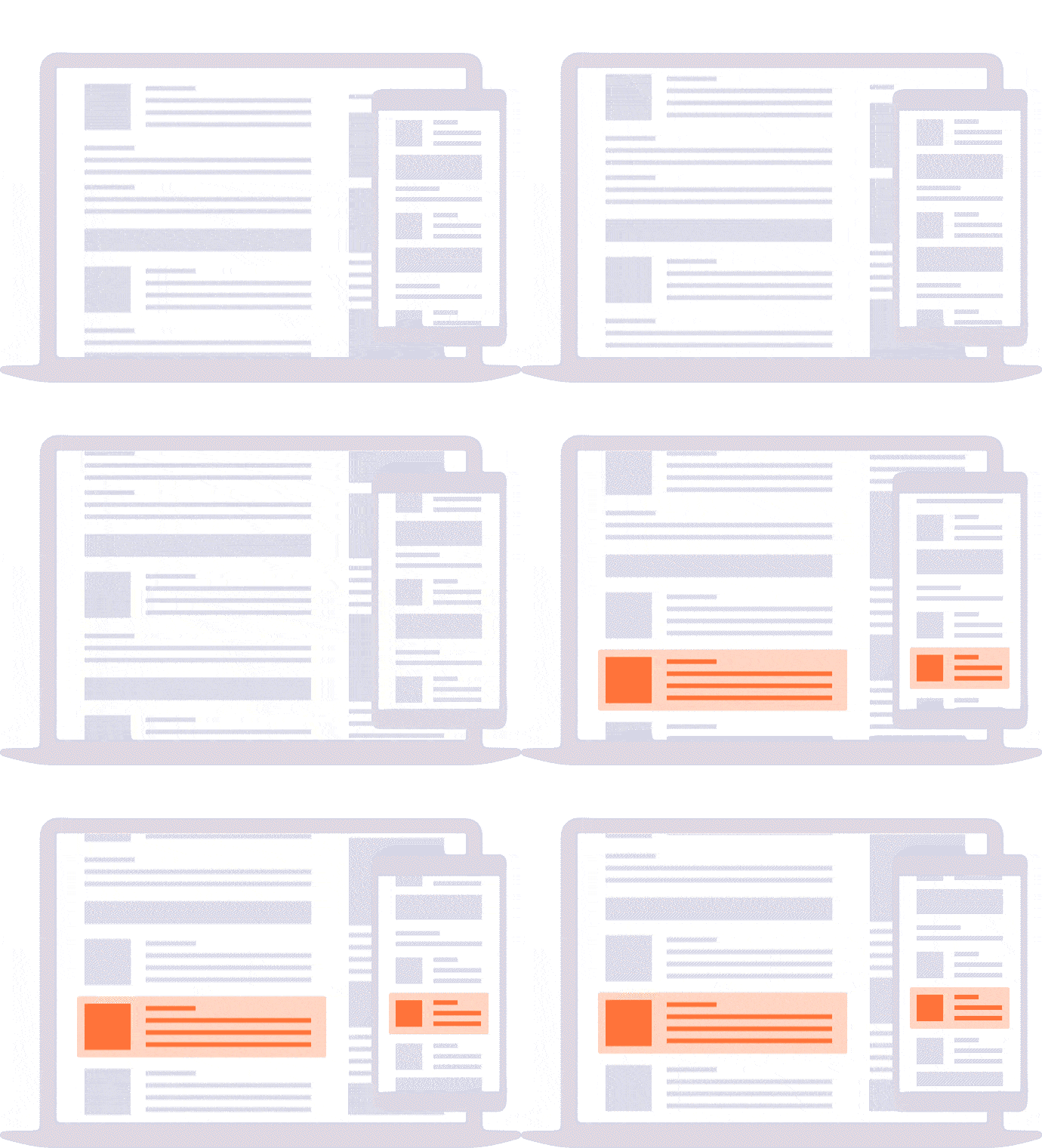
Formerly named "RTB+ In-Feed Native Ad". The "Native (RTB)" creative template displays an ad within the website content matching the website's look and feel.
Most common sizes
Most common RTB sizes of this ad format: 300x250, 300x50, 728x90, 320x50, 300x600, 990x90.
Demo
Native (RTB) demo
Compliancy
| Criterion | Compliancy |
|---|
| RTB | ✅ |
| Multi-instance | ✅ |
| Creative rotation | ✅ |
| Responsive web design | ✅ |
| IFrame buster | ✅ |
| Friendly iFrame | ✅ |
| Viewability counting (MRC standard) | ✅ |
Creative template parameters
| Name | Description | Default value |
|---|
| Main data |
| Third party pixels URLs |
URLs of the pixels from 3rd party tools to measure impressions
| empty |
| Context | The context in which the ad appears. The list of available IDs:
| 1 | Content-centric context such as newsfeed, article, image gallery, video gallery, or similar. | | 2 | Social-centric context such as social network feed, email, chat, or similar. | | 3 | Product context such as product listings, details, recommendations, reviews, or similar. |
| 1 |
| Placement type | The design/format/layout of the ad unit being offered. The list of available IDs:
| 1 | In the feed of content - for example as an item inside the organic feed/grid/listing/carousel. | | 2 | In the atomic unit of the content - IE in the article page or single image page. |
| 1 |
| Use title | Uses the title parameter from RTB ad data | true |
| Title required | Define if title is required | true |
| Title max length | Maximum number of chars in the title element | 100 |
| Image options |
| Use main image | Use image parameter from RTB ad data | true |
| Image required | Define if image is required | true |
| Image min width | Specifies image minimum width (in px). If min width and min height are both 0, image will have default dimensions. | 0 |
| Image min height | Specifies image minimum height (in px). If min width and min height are both 0, image will have default dimensions. | 0 |
| Use icon | Use icon parameter from RTB ad data | true |
| Icon required | Define if icon is required | true |
| Data options |
| Use description | Use description parameter from RTB ad data | true |
| Description required | Define if description is required | true |
| Description max length | Maximum number of chars in the description element | 200 |
| Use call to action text | Use call to action parameter from RTB ad data | false |
| Call to action text required | Define if call to action is required | false |
| Call to action text max length | Maximum number of chars in the call to action element | |
| Use sponsored | Use sponsored parameter from RTB ad data | false |
| Sponsored required | Define if sponsored is required | false |
| Sponsored max length | Maximum number of chars in the sponsored element | |
| Sponsor label position | Specifies the sponsor label position | bottom right |
| Background color | Specifies the background color of the sponsored content | #ffffff |
| Custom field | Specifies a custom field. Leave this field empty if you do not need it. | empty |
| Place of the ad options |
| Place of the ad | If you choose something different than "Smart tag" remember to fill the next field too. | Smart tag |
| Identifier(s) | Specifies identifier or more identifiers of elements. Separate them by semicolon if needed. Equativ will put an ad inside it. It's mandatory to fill this field if you choose something different than "Smart tag" in the previous option. | |
| Paragraph type | Specifies type of paragraph (p, div, ...) inside specified article. Value of this field is taken into account only if you choose automatically in article in the "Place of the ad" field. | p |
| HTML code |
| HTML code of the DOM node |
Fill with the HTML code of the DOM node - everything has to be in one line. Replace the necessary data by the following macros:
- [native_title]
- [native_iconUrl]
- [native_description]
- [native_clickUrl]
- [native_imageUrl]
- [native_backgroundColor]
- [native_customField]
- [native_sponsorLabel]
- [native_sponsorLabelPosition]
You can only use these macros in the field HTML code of the DOM node; you cannot use them in any other field! | empty |
| Creative feedback | Shows creative feedback button | true |
| Activate ad refresh | Toggle to activate automatic ad refresh functionality (5 refreshes max) | false |
| Viewability threshold (px %) | Specifies what minimum percentage of creative must be visible to be considered for ad refresh. | 50 |
| Duration (seconds) | Specifies for what duration must the ad be visible (provided the tab is active for the entire duration specified) to be considered for ad refresh. | 30 |
*About Image min width and Image min height:
Image min width
- specifies the minimum width you accept,
- images (served by DSPs) which are wider than this minimum width will be resized by the creative template if the CSS class="sas-resize" is added to the img element,
- together with the "Image min height" value (see below), the "Image min width" must respect one of the following aspect ratios 1:1, 4:3 or 1.91:1; this is mandatory since RTB supports resizing for these aspect ratios only!
- maximum widths by aspect ratio:
- aspect ratio 1:1 => max width: 1000px;
- aspect ratio 4:3 => max width: 1600px;
- aspect ratio 1.91:1 => max width: 1200px
- Example: if the min. width is 720px, the min. height must be 720px (aspect ratio 1:1), or 540px (aspect ratio 4:3) or 377 (aspect ratio 1.91:1)
Image min height
- specifies the minimum height you accept,
- images (served by DSPs) which are higher than this minimum height will be resized by the creative template if the CSS class=" sas -resize" is added to the img element,
- together with the "Image min width" value (see above), the "Image min height" must respect one of the following aspect ratios 1:1, 4:3 or 1.91:1; this is mandatory since RTB supports resizing for these aspect ratios only!
- see also example above
Features
The Native (RTB) ad format is located within the website content. It matches the content of the page in both form and behaviour.
HTML code of the DOM node
The field HTML code of the DOM node is a mandatory field. To fill it, you have to
- copy the code of an item in the feed of your website - or
- use the Equativ Native Ad Studio (see below) to generate the code
- format the code and replace the URLs/sources by macros; these macros will be replaced by the data specified in the creative template parameters (title, description etc.) and define the elements of the ad
- paste the code into the field HTML code of the DOM node
The native ad will then adopt the look and feel (CSS) of the other items in the feed.
Best practices
The HTML code is specific to a website. Things can become complicated If you have multiple websites, each with its own feed style. For each website, you may need a separate insertion with the specific HTML as its creative.
Recommendations:
- Do not create separate creative templates; when doing so, you lose Equativ's updates to the creative templates.
- Work with insertion copies (and group volumes to assign a shared volume) but try to set up your HTML code as generic as possible (work with variables etc.)
Equativ Native Ad Studio
As an alternative to the following steps 1 to 4, you can use Equativ's Native Ad Studio. This tool allows you to:
- configure the native ad's position, colours, fonts, background, components etc.
- generate the HTML code to be pasted into the field HTML code of the DOM node
As a result, you receive a full native ad, which you can use right away or customize further.
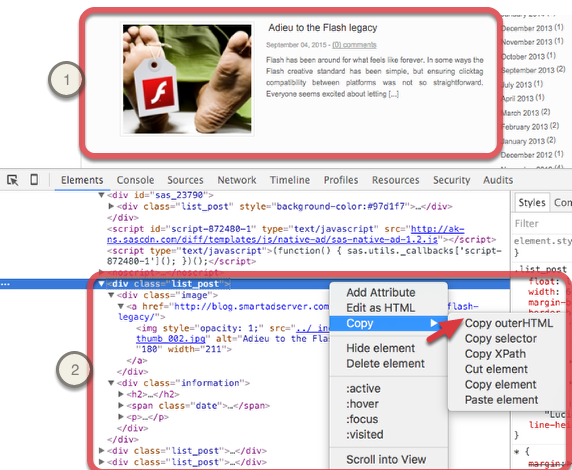
Step 1: Get code from website
- Go to the website with the feed where the native ad will appear
- Open a web debugging tool, such as Chrome Developer Tools
- Navigate to one of the items in the feed
- Copy the outer HTML code of the item
Here is an example showing the item in the feed (1) and the code to be copied (2):
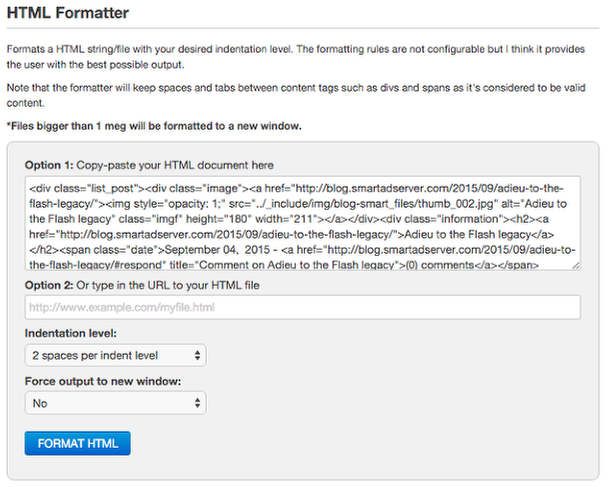
Step 2: Format code
Format your code using a formatting tool, such as Freeformatter (available here)
Step 3: Edit code
- Copy the code retrieved from the formatter into a text editor, such as Notepad++.
- Delete the URLs and sources from the code and replace them by Equativ's macros (see macros above under "Creative template parameters").
The following example shows the result after replacement of the URLs and sources by macros:
<div class="list_post" style="background-color:#[native_backgroundColor]">
        <div class="image">
            <a href="[native_clickUrl1]" target=
            "[native_clickTarget1]"><img class="imgf" height="160" src=
            "[native_imageUrl1]" style="opacity: 1;" width="211"></a>
        </div>
        <div class="information">
            <h2><a href="[native_clickUrl1]" target=
            "[native_clickTarget1]">[native_title]</a></h2>
            <p style="margin-bottom:20px;">[native_description]</p><span style=
            "position: relative;color: #f63c44;line-height: 1.4em;margin-left: 271px;[native_sponsorLabelPosition]">[native_sponsorLabel]</span>
        </div>
</div>
In this example you see that the URL of the first creative has been replaced by the macro [native_imageUrl1]. When the insertion will be delivered, the macro itself will be replaced by the path (URL) towards the first creative in your insertion.
If the code has single quotes ( ' ), replace them by double quotes ( " ).
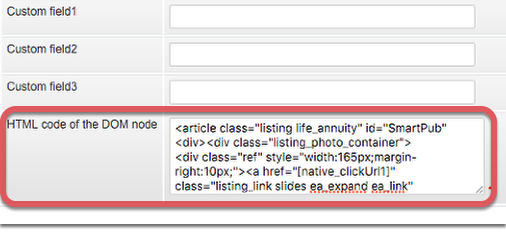
Step 4: Paste code
After preparation of the code, paste it into the field HTML code of the DOM node
Limitations
n/a
Known issues
n/a
Release notes
- 31-03-2025 - Fixed creative ID
- 05-03-2025 - Updates for action pixels generation
- 13-08-2024 - Add support for DSA and update feedback button (RTB version)
- 15-02-2024 - Allow 10s, 15s values in the "duration" parameter in ad refresh
- 16-11-2023 - Add ad refresh section to template parameters for RTB version
- 30-10-2023 - Technical improvements
- 01-03-2023 - Fix impression type metadata
- 22-08-2022 - Improve rendering ad in Header Bidding context
- 19-09-2019 - Remove the official flag from template (mobile version)
- 06-06-2019 - Update Native 1.2 options
- 09-04-2019 - Native 1.2 compliance
- 05-12-2018 - Add viewability measurement
- 14-06-2018 - Add new data asset
- 26-04-2018 - Custom place of the ad
- 22-03-2018 - Support for tagId
- 30-11-2017 - Support for third-party click trackers
- 10-08-2017 - Support for standalone tag


