About this article
This article explains the conditions under which forecast criteria become available (visible) in the forecast UI.
Criteria pane
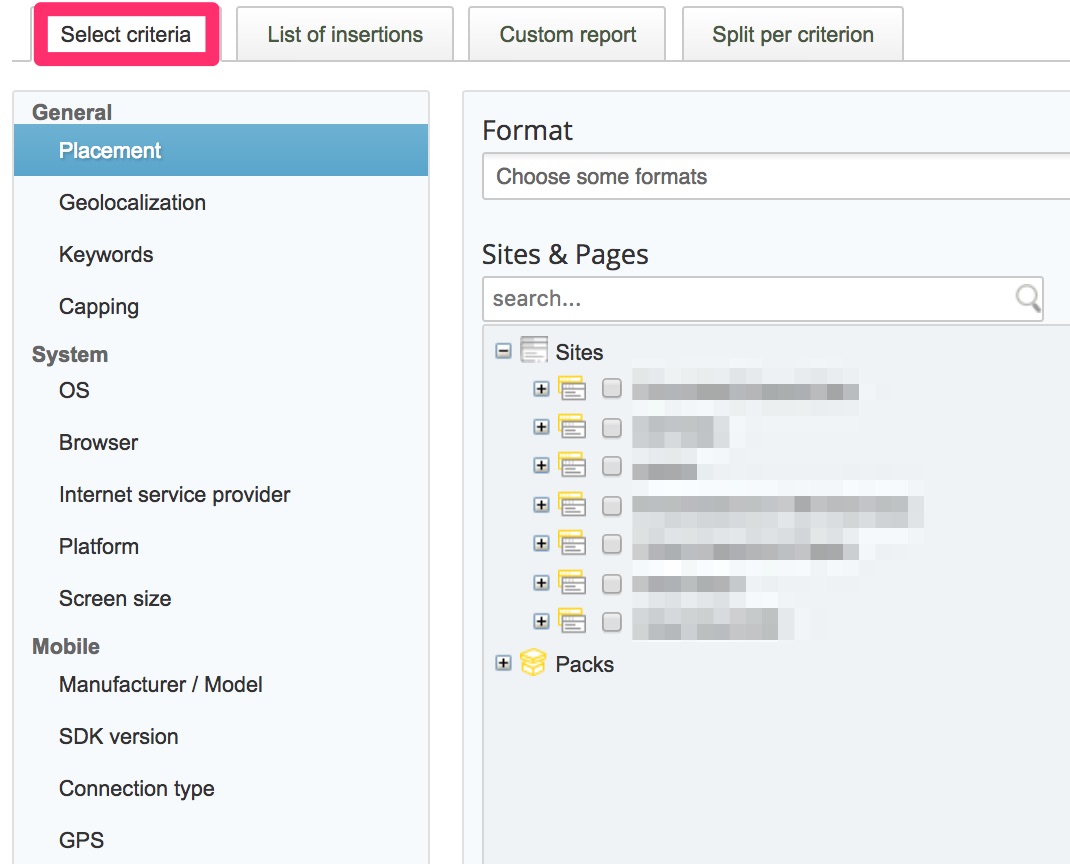
The criteria are located on the Select criteria tab on the left pane.
General rule
The general rule is that any criterion is available in the new forecast, if
- you have used it in an insertion
- this insertion is not in status "finished" for longer than the last 6 months
Example
You had an insertion which ended 2 months ago and which was targeted to the keyword foo=bar. You can forecast this keyword in the forecast since it matches the general rule.
Forecasting criteria without past targeting
If you intend to forecast a criterion you have never targeted in insertion, you need to fake the usage of the criterion, so that the new forecast takes it into consideration:
- create a site and page and enable any format (using the page groups); don't implement any tags for these
- create a campaign with status Sold
- create an insertion in this campaign
- in this insertion, set the end date far in the future (e. g. 01 January 2030)
- on the Placements tab, select the format and site/page you just created
- add the targeting criteria you wish to have available in the new forecast (cities, keywords etc.)
- save the insertion; there is no need to put the insertion online
- add additional targeting criteria later, whenever you need to forecast them
- when a criterion is added, wait until the next day and use the criterion in the forecast
Note about keyword forecasting
To get forecast data for a keyword, it has to be used in at least one insertion at the present moment (i. e. today). If you remove a keyword from the insertion today, the forecast will not be able to forecast it as of tomorrow.
Conditions for criteria availability
The following table lists all the forecast criteria and their availability (visibility) in the forecast UI. Also, you will see if the criterion is hidden in the forecast when its forecast is 0 impressions. Criteria are only hidden in the UI, not in the WebAPI.
| Criterion | Availability in the forecast | Hidden when
forecast is 0 |
|---|
| Placement (websites, pages, formats, packs) | always available, no restrictions | yes |
| Geolocalization (country, region, state, city) | general rule above applies; additionally: if the geolocalization criterion had at least 1000 impressions per day (threshold) in the past, it is automatically available in the forecast; parent criteria are automatically included; Example: if the city Paris is included, then France is included as well (the country France is the parent criterion of the city Paris) | yes |
| Postal code (ZIP code) | general rule applies | yes |
| Keywords | general rule above applies | yes |
| Audience Targeting | general rule does not apply; segment is available as soon as it had more than 10000 impressions/day in the entire network | no |
| Semantic Targeting | general rule does not apply; segment is available as soon as it had more than 10000 impressions/day in the entire network | no |
| Capping | always available | no |
| Personalized Ad | always available (if this option is checked, only users with positive TCF consent for personalized ads are taken into account) | no |
| OS | general rule above applies; additionally: if one OS is available, then all OSs are available automatically | no |
| Browser | general rule above applies; additionally: if one browser is available, then all browsers are available automatically | no |
| Internet service provider | general rule above applies | yes |
| Platform | general rule above applies | yes |
| SDK version | general rule above applies; additionally: all the SDK versions between the smallest and the largest SDK version are available | yes |
| GPS | general rule above applies | yes |
| Ad Break (video) | general rule above applies | yes |


