Summary
Overview
Most common sizes
Demo
Compliancy
Creatives
Creative template parameters
Features
Limitations
Known issues
Release notes
Overview
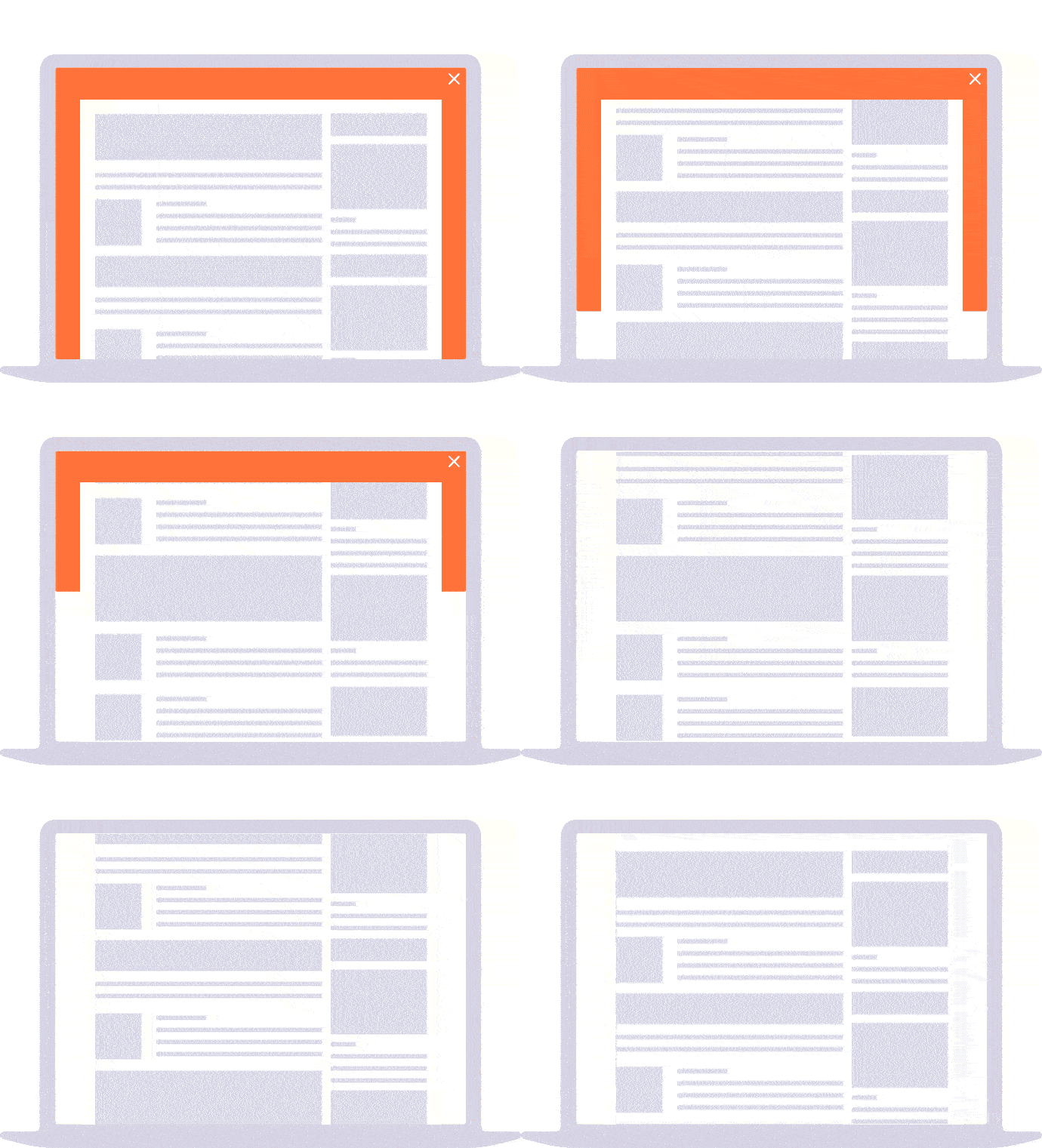
Formerly named "Background" / "RTB+ Skin". The "Skin" creative template displays a background ad, visible on the left, top and right side of the page.
Most common sizes
Most common RTB sizes of this ad format:990x90, 1800x1000, 2000x1400, 728x90, 1000x200, 1200x250.
Demo
Skin demo
Compliancy
| Criterion | Compliancy |
|---|
| RTB | ✅ |
| Multi-instance | ✅ |
| Creative rotation | ✅ |
| Responsive web design | ✅ |
| IFrame buster | ✅ |
| Friendly iFrame | ✅ |
| Viewability counting | ✅ |
Creatives
This section applies for the direct creative template only.
Supported file formats:
- image
- HTML5
- creative script
Note 1: In case of creative script or HTML5 creatives, make sure you set up the size.
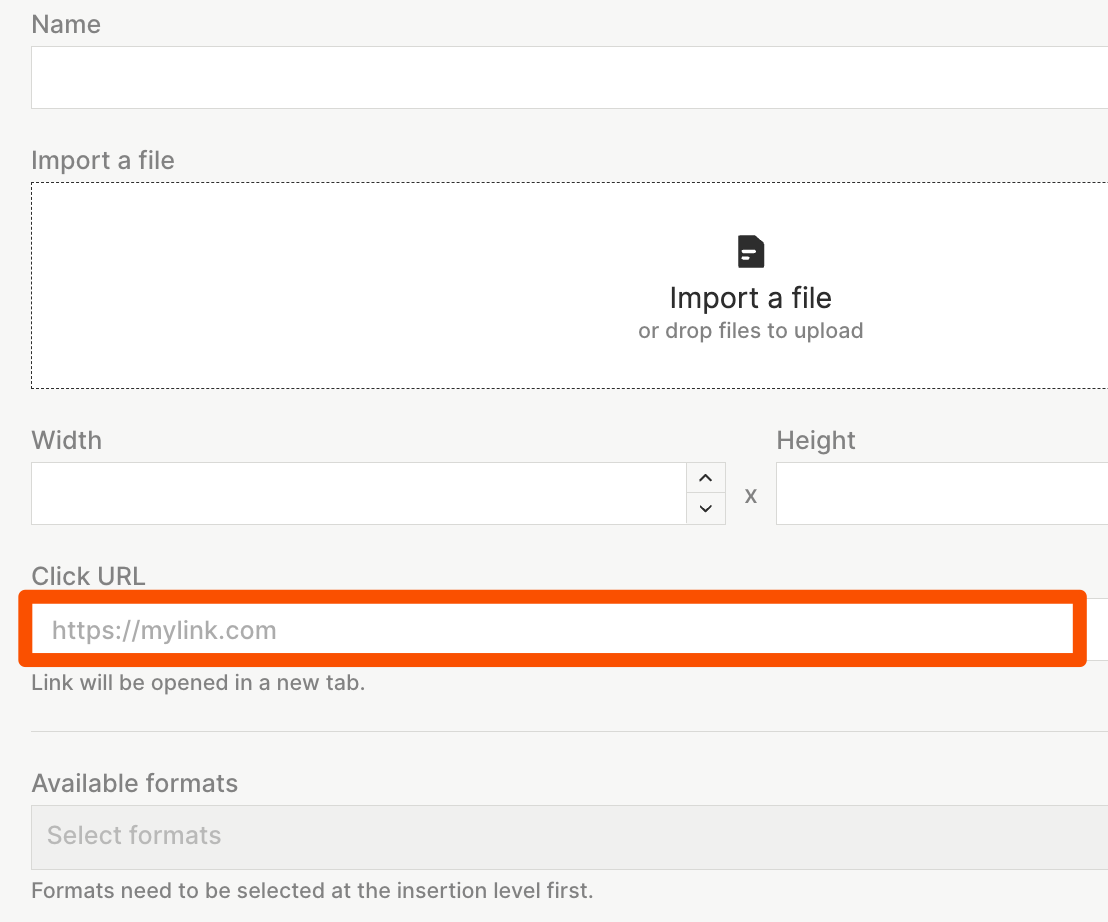
Note 2: To get a clickable Skin, fill the "Click URL" field in the "Creatives" section of the insertion for all creative types (image, html5, creative script).
Click management for HTML5 creatives
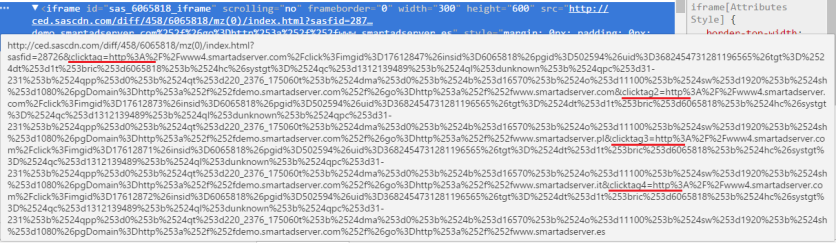
The Skin ad format is able to identify the click destination for HTML5 creatives by using:
- the click counting library
- the clicktag variables passed in the source of the iframe; Important: HTML5 creatives must have the click destination recognition implemented:
Creative template parameters
| Name | Description | Default value |
|---|
| Background options |
| Background color |
Specifies the Skin color
| #FFFFFF |
| Background attachment |
Specifies if the Skin scrolls with the rest of the page or is fixed.
|
scroll
|
|
Background position
only for images
|
Specifies the Skin position; taken into account only for the creative type: image; more info here
| center top |
|
Background repeat
only for images
| Specifies the Skin repeat type; works for creative type: images | no-repeat |
| Offsets |
| Content vertical offset |
Specifies the element id or the class for which to apply the offset
| 0 |
| Offset element ID | Specifies the element id or the class for which to apply the offset; leave this field blank to add an offset for the whole page (body tag) | |
| Offset element type | Specifies the type of element for which to apply the offset | id |
| Offset value for the element id | Specifies the value of offset for the defined element; "margin-top" will be added to the specified element | 0 |
| Close button | Specifies if the close button will appear | false |
| Click map options |
| Page width | The Skin is clickable by default (if the click URL is defined for the creative). In some cases, this is necessary to use the click map, e.g. when the page has a container of 100% width. Specifies the page width to use the click map feature. | 0 |
| Click map height (center part) | Specifies the height of the top part of the click map; used to make the center part of the page clickable; with a value of "0", the center part of the click map is not clickable (only left and right side will be clickable) | 0 |
| Click map width (right and left side) | Specifies the click map width for both sides | 5000 |
| Click map height (right and left side) | Specifies the click map height for both sides | 1000 |
| Horizontal offset | Specifies the horizontal offset of the click map; positive value: to the right side; negative value (with "-"): to the left side | 0 |
| Vertical offset | Specifies the vertical offset of the click map; positive value: to the bottom; negative value (with "-"): to the top | 0 |
| Click map zIndex | Specifies the zIndex of the click map | 9999 |
| Show test border line | Shows a border line over the clickmap. This option will help to set up the click map position. | false |
| Other |
| Creative feedback | Shows creative feedback button. | true |
| Render in Safeframe | Specifies if ad creative will be rendered inside the safeframe. | false |
| Tracking url | Make sure you add [timestamp] to the URL for cache busting | |
| Duration |
Specifies the duration of the ad (in seconds). After this time, the Skin will be closed.
| 0 |
|
Fake body id tag
|
Specifies the ID of an HTML element where the Skin is rendered (instead of rendering in the body tag). Leave blank if the Skin is targeted to the body HTML tag.
| |
|
Important
only for images
| Specifies if "!important" will be added to the Skin CSS (needed in some cases, because many pages use it, which causes problems with the Skin ad). | true |
| Force pointer cursor | Specifies if the cursor pointer should be forced for the whole Skin. | false |
|
z-index
only for html5 and agency code
| Specifies the Skin's z-index; taken into account in case the creative is an agency code; normally, changing this value is not necessary | -100 |
|
Horizontal offset
only for html5 and agency code
| Position for HTML5 and agency code only; positive number: to the right side; negative number (with "-"): to the left side. | 0 |
|
Vertical offset
only for html5 and agency code
| Position for HTML5 and agency code only; the value of this field moves the Skin to the bottom | 0 |
| RTB options (only for the RTB template) |
| Acceptable sizes | Acceptable sizes as a coma-separated list of a pair w*h (no spaces). Example : 1800*1000,2000*1400 | 1800*1000 |
| Activate ad refresh | Toggle to activate automatic ad refresh functionality (5 refreshes max). | false |
| Viewability threshold (px %) | Specifies what minimum percentage of creative must be visible to be considered for ad refresh. | 50 |
| Duration (seconds) | Specifies for what duration must the ad be visible (provided the tab is active for the entire duration specified) to be considered for ad refresh. | 30 |
Features
The "Skin" creative template supports the formats image, HTML5 and creative script (some options apply to images or creative script/HTML5 creatives only).
More details about the Skin CSS is available here.
Click redirection issues
By default, the Skin is clickable (if a click URL is present). In some cases (especially on pages with responsive design), the click does not work because of containers which have 100% width. The ad format algorithm checks if the click event was on the "BODY" tag - if it was not, there is no redirection. In these cases, Equativ recommends to use the click map feature. To enable it, you have to fill the "Page width" field.
HTML5 creatives with multiple clicktags
In case of HTML5 creatives with many clickTags (up to 3 as click maps), the clickURLs will be applied to the click maps in a specific order:
- 1st clickURL to the center click map
- 2nd clickURL to the left click map
- 3rd clickURL to the right click map
In case of fewer clickTags defined, the first clickURL will be applied to every remaining click map.
In case the click map feature is disabled, the clickURLs will be applied to the corresponding clickTags inside the HTML5 creative.
Skin resize
By default, the creative template delivers the Skin creative with a size specified at creative level. You can resize the ad per page domain. It works only for image creatives and predefined size 1920x1080px and white a space between the left and right side of 1170px. Example:
To make it work, besides creative with the right size please attach also code into the custom script for the insertion with such pattern:
<script>
var sasBackgroundSizes = [
    { domain: 'domain1.com', width: 900 },
    { domain: 'domain2.com', width: 1100 },
    { domain: 'domain3.com', width: 1300 }
];
</script>
Where "width" param is the website's content width.
Offset options
You can use the following options to adjust offsets:
- use "Content vertical offset" to shift content from top to down
- fill the fields "Element ID", "Element type" and "Offset value for the element id" to apply an offset for a specified element on the page
Viewability measurement
The template supports viewability measurement. After one second since the creative has been rendered the metric viewcount is logged. In addition, there are two other metrics: impressionsonepx (when at least one pixel of the creative is rendered) and impressionsonrender (when the whole creative is rendered).
Limitations
n/a
Known issues
n/a
Release notes
- 05-03-2025 - Update for action pixels generation
- 01-10-2024
- Removed custom close button
- Added creative feedback and DSA button
- 15-02-2024 - Allow 10s, 15s values in the "duration" parameter in ad refresh
- 16-11-2023 - Added ad refresh section to template parameters for RTB version
- 27-09-2023 - Improved impression counting
- 28-08-2023 - Fixed close behavior for image creatives when important parameter is enabled
- 18-07-2023 - Added new RTB macros
- 31-05-2023 - New template parameter ‘Safeframe’ added.
- 17-04-2023 - Update sas-libs version to 1.1 and remove document.write from the EMP (Manage) creative script
- 20-04-2020 - Removed RTB parameters from click count pixel
- 04-12-2019 - Update for ClickMap module
- 28-11-2019 - Update for background resize feature
- 15-10-2019 - Fix background resize feature for IE 11
- 13-08-2019 - Fix for background resize feature
- 06-05-2019 - Add background resize per domain feature
- 13-03-2019 - Add RTB dimensions in click url
- 17-12-2018 - Add "Acceptable sizes" option in RTB template
- 11-12-2018 - Fir for rendering ad in IE11
- 05-12-2018 - Adform compliancy for click action in RTB delivery
- 08-11-2018 - Fix for the clicks gathering method in RTB delivery
- 27-07-2018 - Fix for click maps
- 10-07-2018 - Fix for header bidding
- 06-12-2017 - New default close button
- 09-10-2017 - Fix for displaying template delivered by asynchronous tags
- 05-09-2017 - Fix for click counting
- 04-09-2017 - Multi click tag for HTML5 creatives
- 16-08-2017 - Support for standalone tag
- 12-07-2017 - Support for standalone tag


