Overview
Equativ’s App Showcase is an app you can download on your smartphone, which allows you to display Equativ’s official in-app ad formats. You can view ad formats supported by Equativ's iOS and Android SDKs. This is useful to demo the ad behavior to prospects, customers, colleagues etc.
In addition to the showcase feature, you can use the app to test and debug in-app ad delivery: you can define all necessary parameters and call the ad you have prepared in an insertion in
EMP.
Access
You can download the app on your mobile device just like any other other iOS/Android app:
Showcase
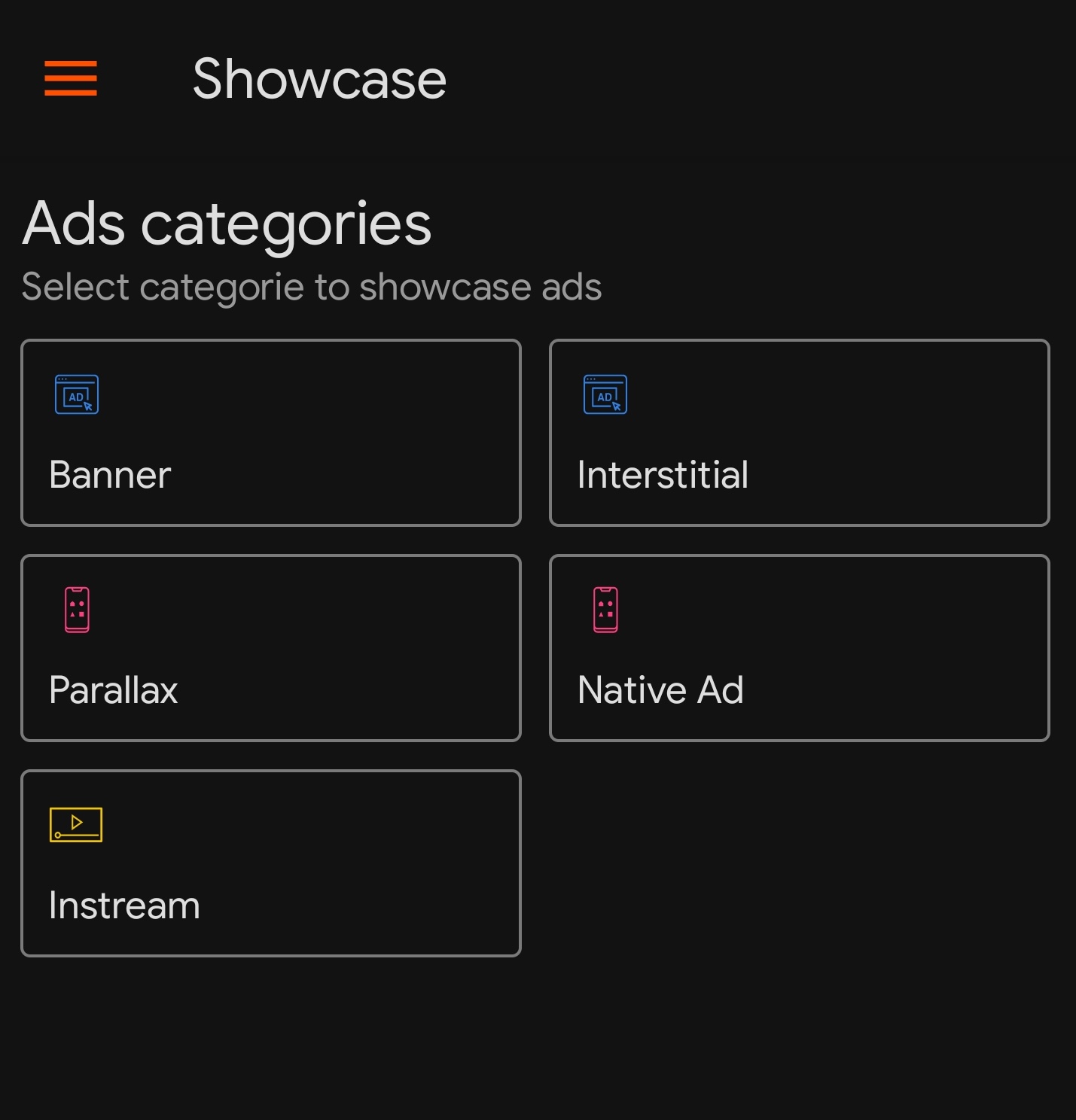
In the Showcase section of the app:
- select the ad format category (e. g. Parallax)
- then, select the actual ad format (e. g. Parallax banner) to see how it is displayed on a test page
AdViewer
The AdViewer section allows you to call creatives you have previously prepared in an insertion.
Tap on the hamburger menu in the top left corner to switch to the AdViewer section.
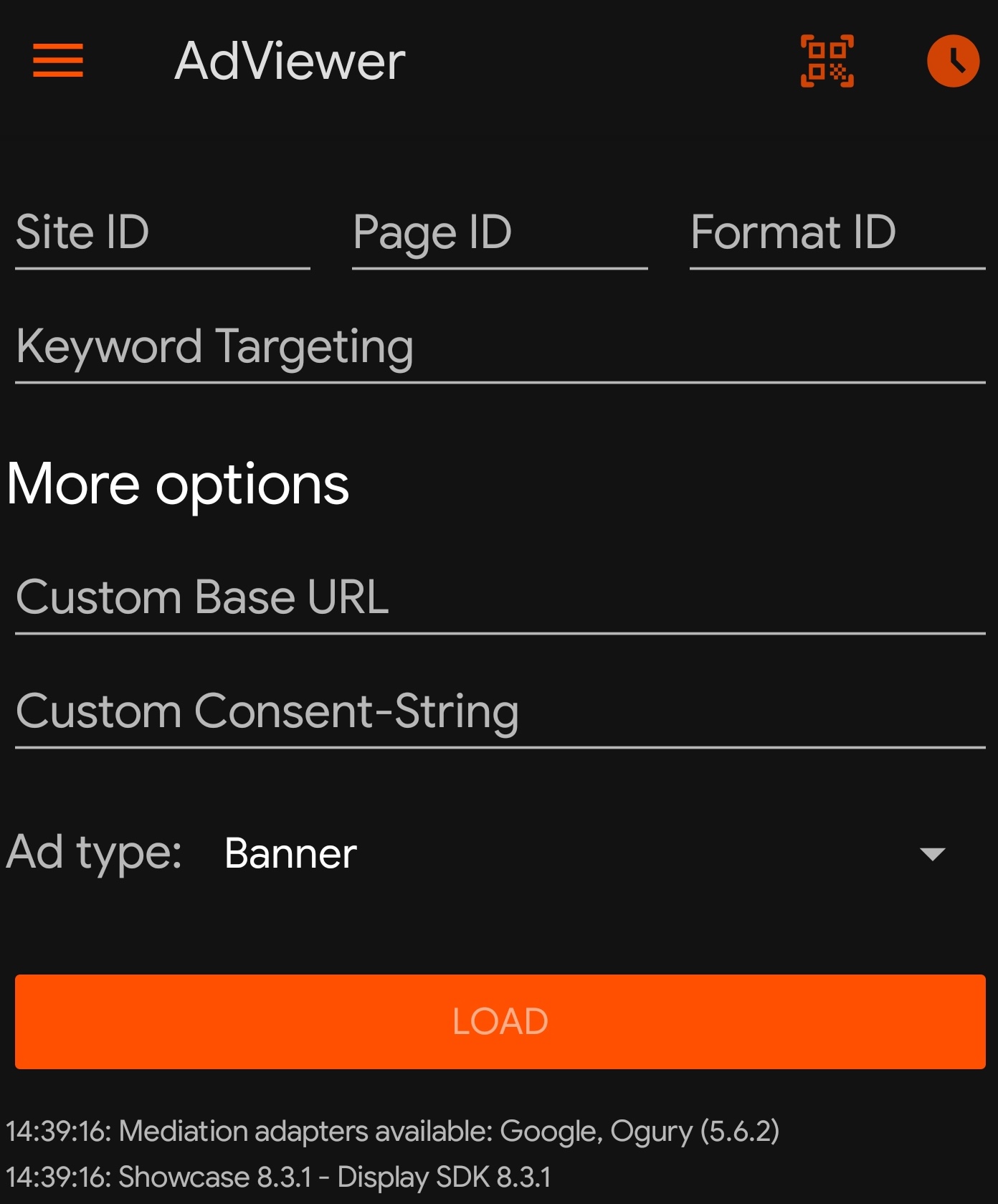
This table explains the options and fields available in the Ad Viewer.
| Option / Field | Description |
|---|
| QR code generator/scanner | used to easily share the values in the Ad Viewer fields with another device:
- on your primary device, fill in the mandatory fields Site ID, Page ID, Format ID as well as the other fields (optional)
- tap the QR code button at the top of the screen
- tap the Generate a QR code button at the bottom of the screen to display the QR code. Keep in mind: this button is hidden if you fail to fill in the mandatory fields Site ID, Page ID and Format ID!
- install the Showcase app on your secondary device
- using the QR code scanner in the Showcase app on the secondary device, scan the QR code to populate the fields with the values from the primary device
|
| History | displays the history of previous ad calls including the timestamp, the placement (Site ID, Page ID, Format ID) and the Ad type |
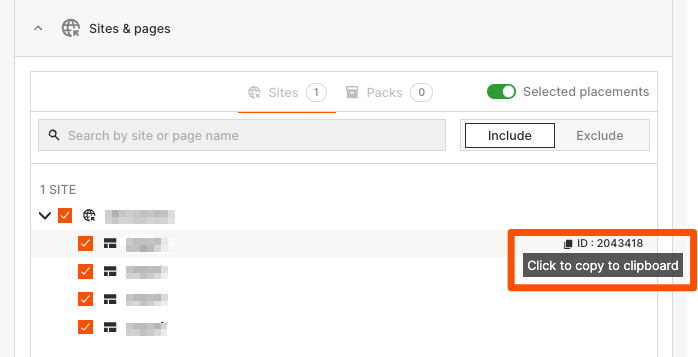
| Site ID, Page ID, Format ID | mandatory; the parameters used when calling the insertion you want to test/debug; you can copy the Ids from the Placement section of the insertion as shown in the screenshot below* |
| Keyword targeting | optional; the keyword targeting used when calling the insertion you want to test/debug; this field is relevant only if the insertion you are intending to call has keyword targeting criteria |
| Custom Base URL | optional; used to modify the default base URL of the ad call; format: http(s)://mydomain.com |
| Custom Consent-String | optional; used to override the IAB Europe TCF consent string that the installed CMP passes in the ad call; more about the TCF, CMPs and GDPR here; |
| Ad Type | choose from Banner, Interstitial or Native Ad; the choice depends on the creative template used in the Creatives section in the insertion |
| Load | triggers the ad call with the parameters you have entered and displays the creative on a test page (if loading was successful);
Limitation: any creatives with a height greater than 1000 px are truncated when displayed in portrait orientation; this limitation occurs in the Showcase App only; it does not occur in publishers' apps using Equativ's in-app SDK. |
| Log | the log at the bottom of the page shows the following information:
- failure or success of the ad loading process
- time taken to load the ad
- debug-string of the ad containing the creativeId, video URL (if it exists), etc.
- events that occurred, e. g. video events such as mute, unmute, fullscreen etc.
- errors that occurred when loading the ad or playing the video ad (displayed in red)
|
* To display the IDs, hold your mouse over the site/page/format. To copy the Ids, click on "Click to copy to clipboard".